One clean place for customers to see your menu, book a table and order for collection — and one simple dashboard for your team to manage it. I build it, host it and look after it.
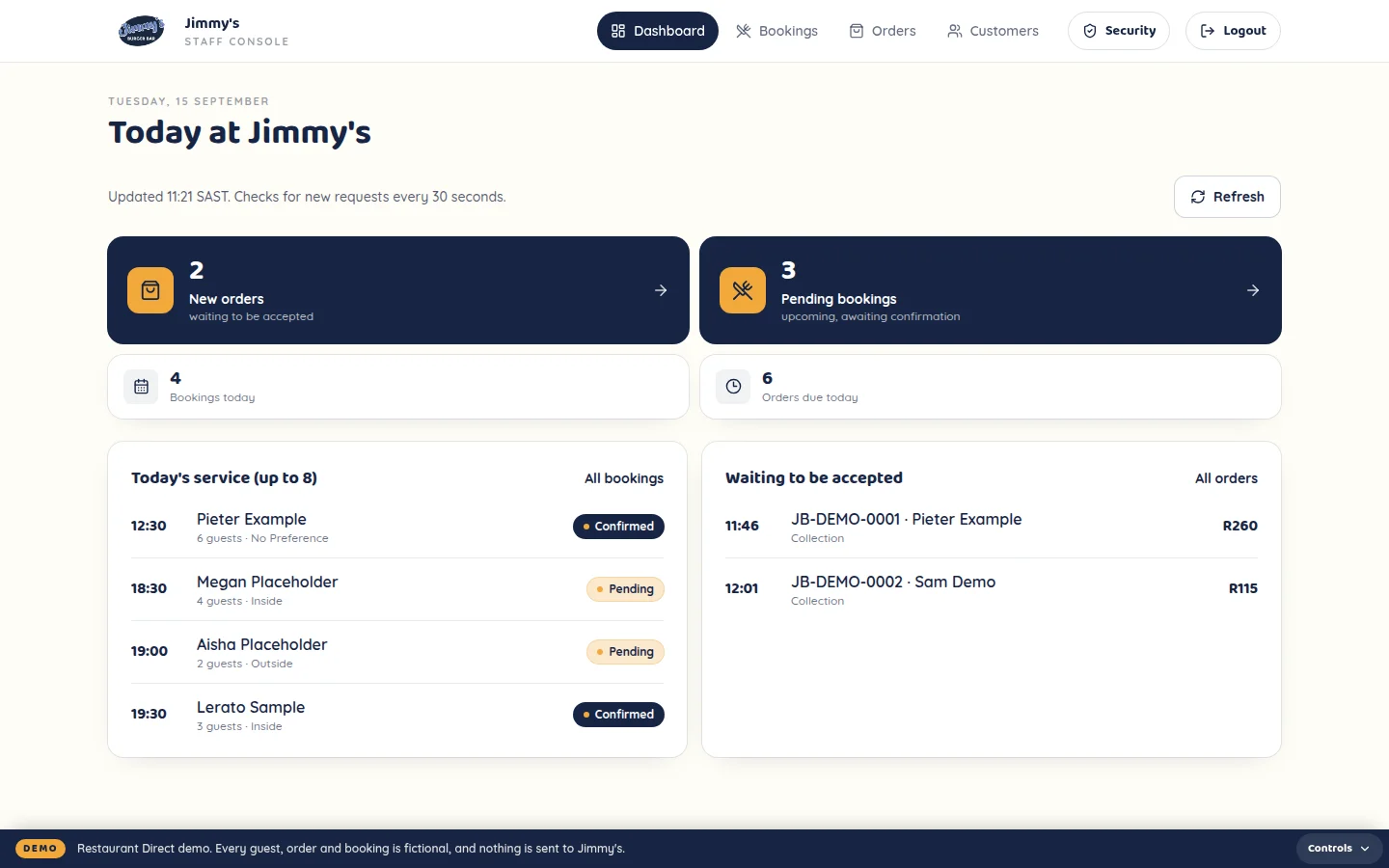
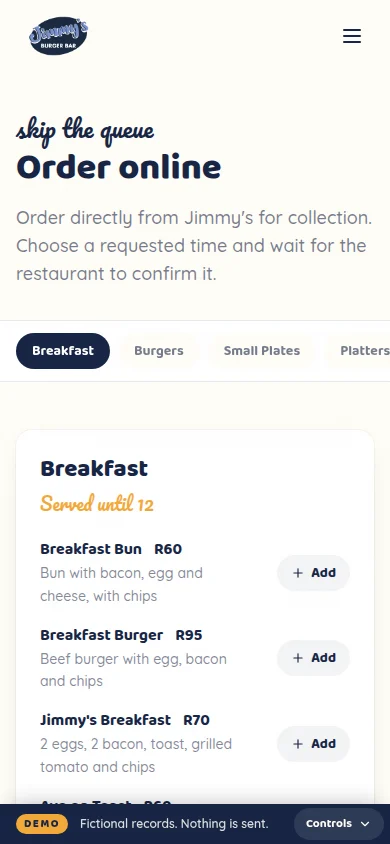
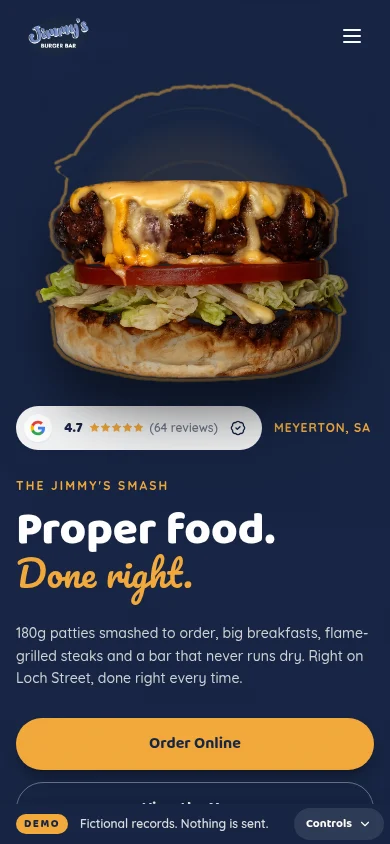
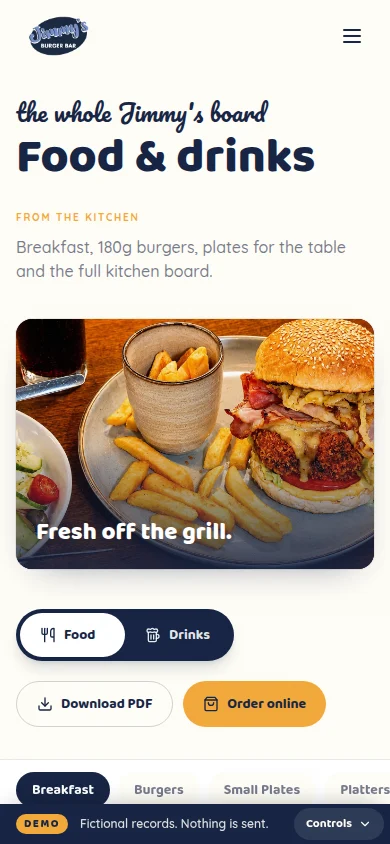
Jimmy’s Burger Bar, shown with demo data.
This is the real system, running live below. Place an order on the customer site, then switch to the staff console and watch it land in the kitchen queue. It’s Jimmy’s Burger Bar with invented guests and orders — nothing you do reaches anyone, and you can’t break it.
Order a couple of burgers and pick a collection time.
Live demo build — fictional guests, orders and bookings. Press Escape to carry on scrolling. Jimmy’s Burger Bar shown with demo data; branding by Ameli Designs.
The menu is a PDF.
Or a photo on Instagram. On a phone, it’s a pinch-and-zoom job.
Bookings arrive everywhere.
DMs, WhatsApp, phone calls and a note next to the till.
Orders sit in the chat.
Collection orders share a WhatsApp thread with everything else.
Nobody sees the whole day.
There’s no single place showing what’s booked and what’s cooking.
- 01Your customer
Finds you
A clear mobile site with your brand, hours and location.
Your restaurantThey know what you offer and how to reach you.
- 02Your customer
Browses the menu
Then books a table or orders for collection.
Your restaurantThe request comes straight to you.
- 03Your customer
Sends the request
Name, contact details, the time and what they want.
Your restaurantA proper booking or order record is saved.
- 04Your customer
Gets a confirmation
On screen, with a reference number.
Your restaurantYou get the full request and can update its status.
- 05Your customer
Hears back
As you confirm the booking or move the order along.
Your restaurantYour team takes it through to done.
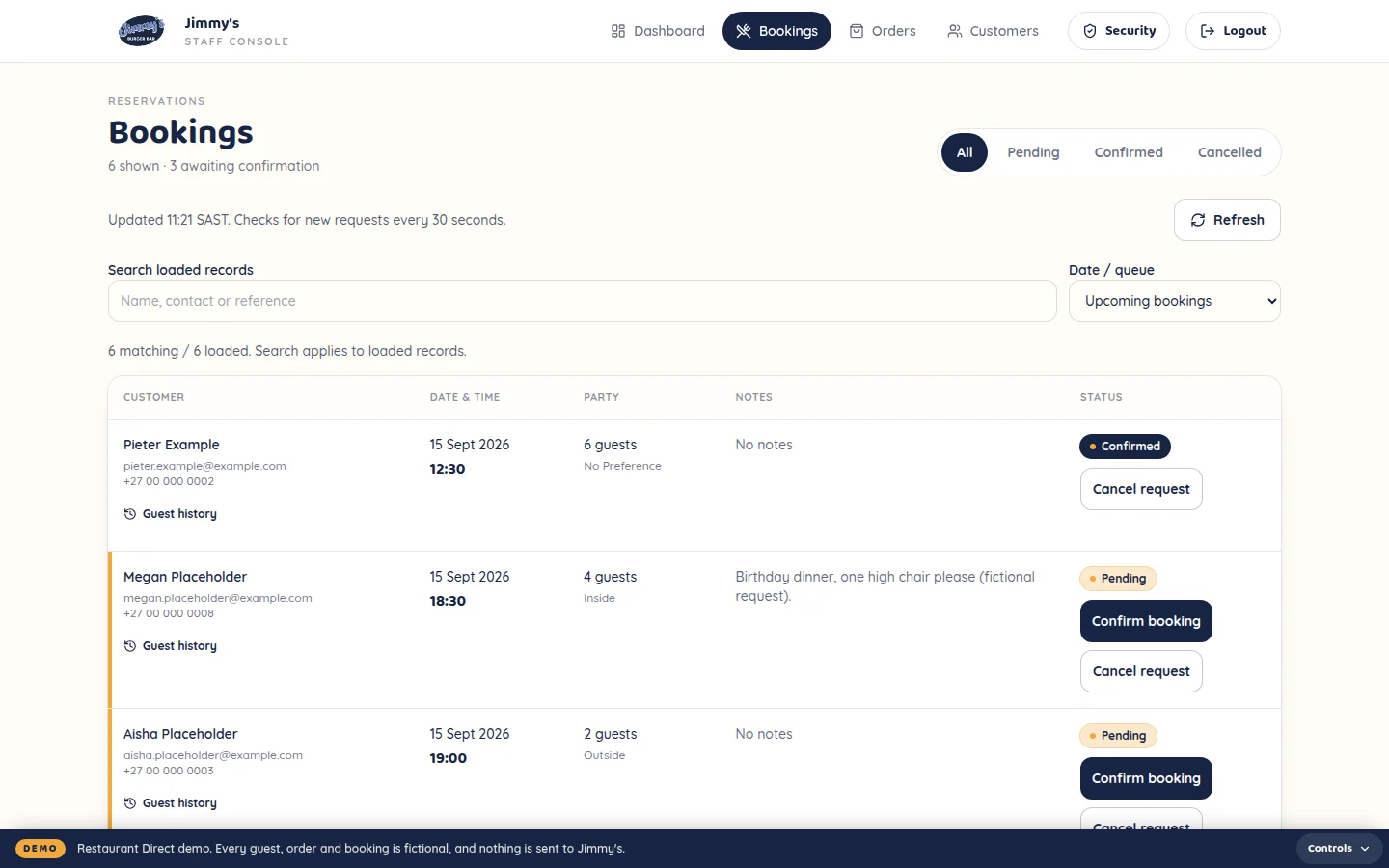
A customer orders from their phone, the order lands on the staff dashboard, and the team takes it from new to collected.
- A mobile-first site on your own brand
- A menu that’s easy to read on a phone
- Hours, location and Google Maps directions
- Table bookings with date, time, guests and notes
- Collection orders with a requested pickup time
- A confirmation with a reference number
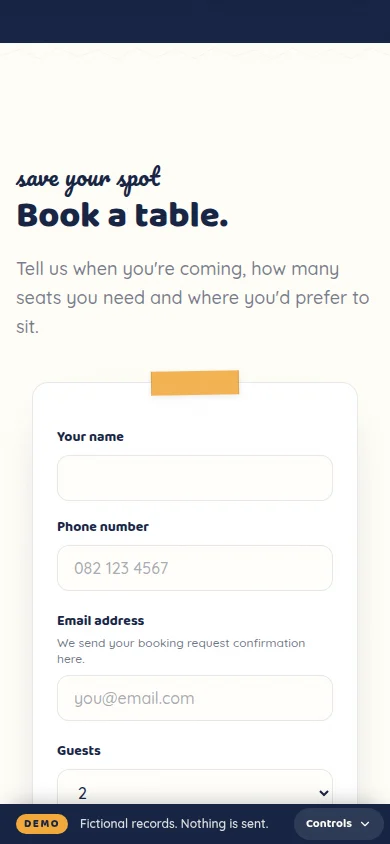
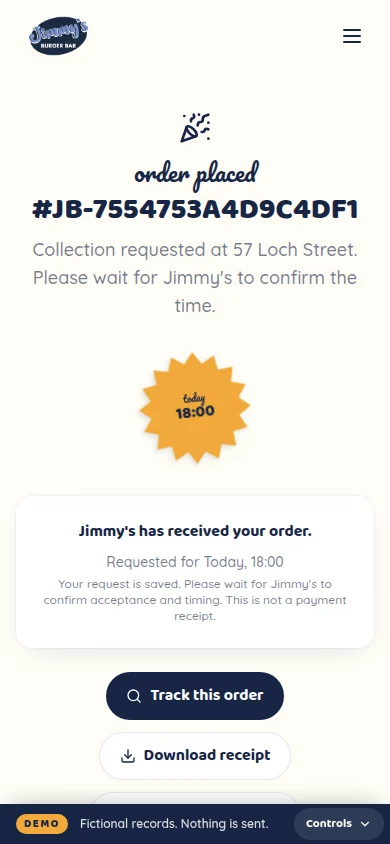
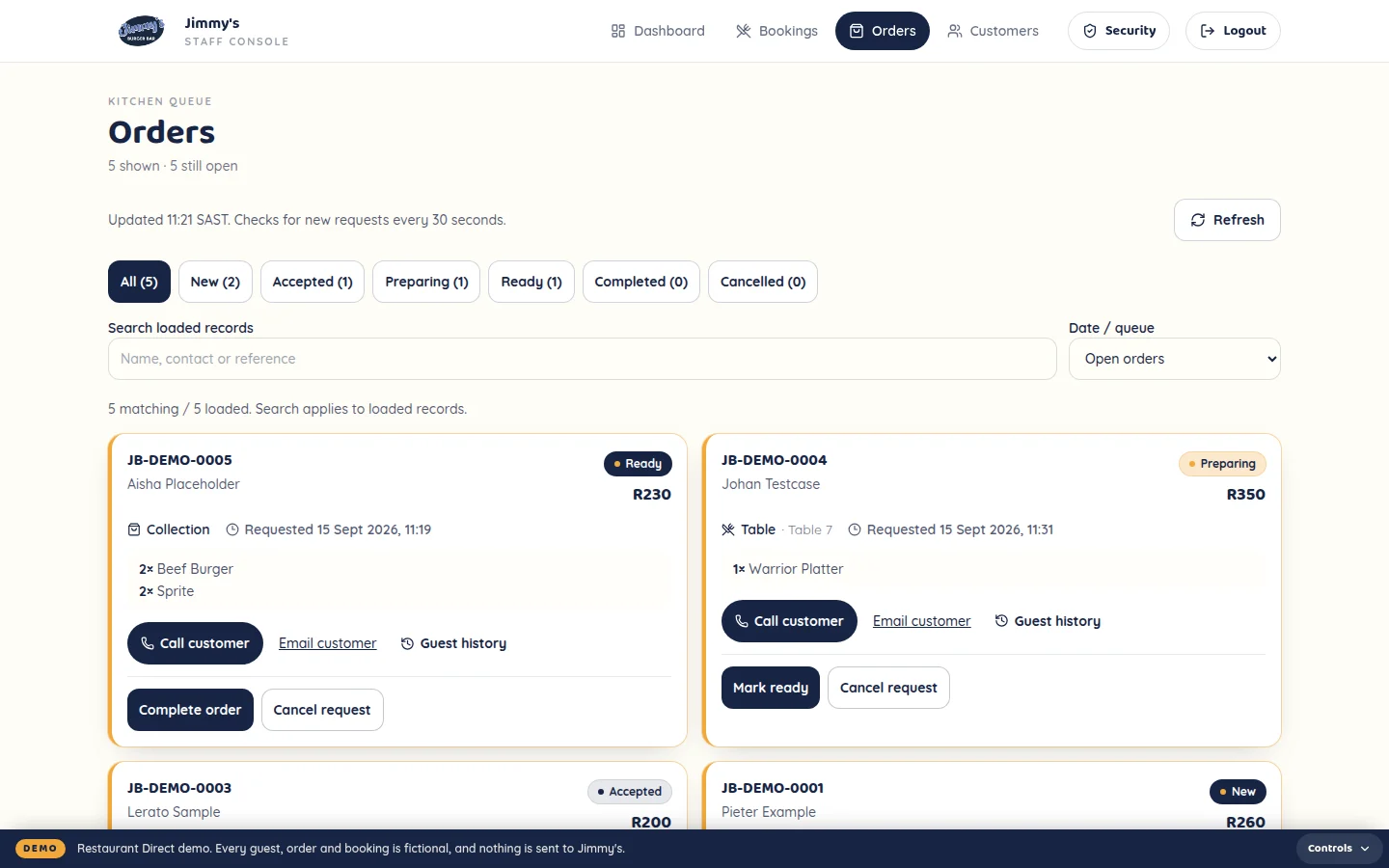
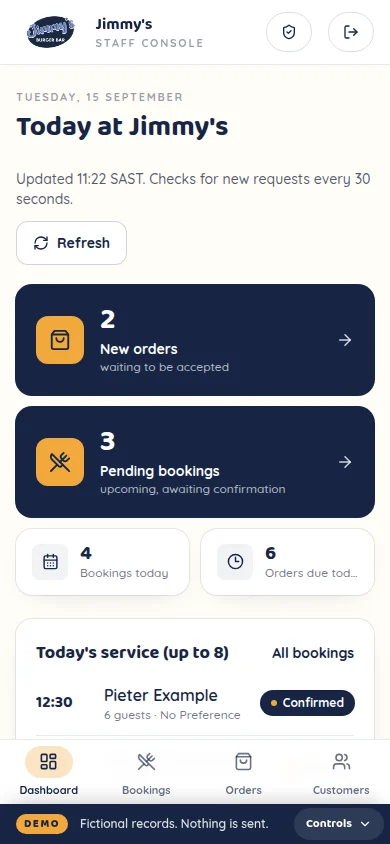
Orders
- New
- Accepted
- Preparing
- Ready
- Completed
Bookings
- Pending
- Confirmed
- Today’s bookings and new orders at a glance
- Confirm or cancel bookings in one tap
- Items, total, collection time and contact details on every order
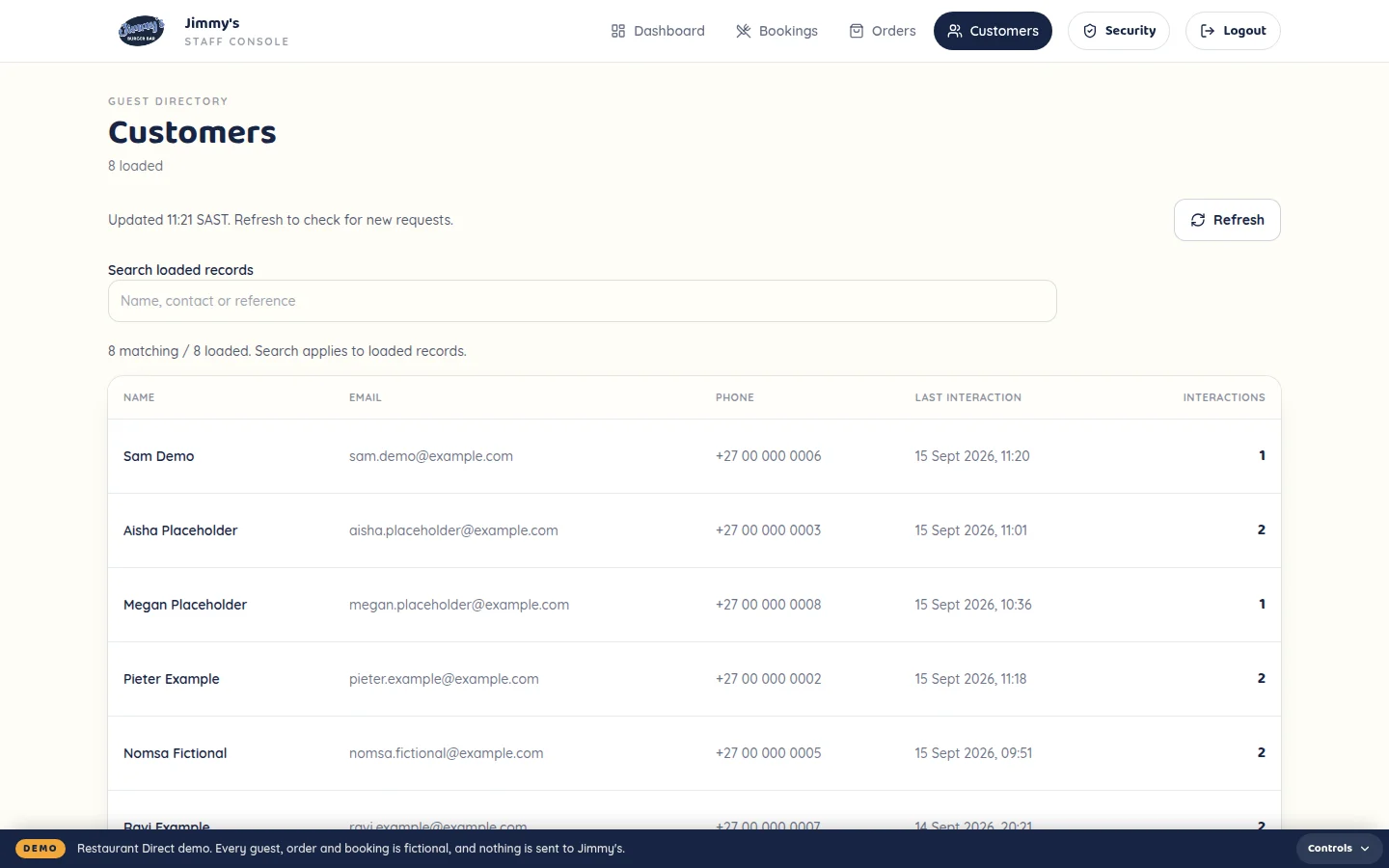
- Simple guest history — who came, when, how often
- A secure login for your team
Jimmy’s on Loch Street was the first restaurant I built Restaurant Direct for. It’s live as a pilot, and the owners’ feedback has already shaped how ordering, bookings and the staff dashboard work.
What’s running
Mobile site, menu, table bookings, collection orders and the staff dashboard.
Where it’s at
Live as a pilot, with the first round of owner feedback built in.
The brand
Jimmy’s identity was designed by Ameli Designs.
Screens from the Restaurant Direct demo: Jimmy’s real menu and design, with fictional guests and orders.
Website
- Custom mobile-first design on your brand
- Menu, hours, contact details and location
- Google Maps directions and social links
Direct bookings
- Booking form with date, time, guests and notes
- Notification to you, confirmation to the customer
- Pending, confirmed and cancelled statuses
Collection ordering
- Menu, cart and a requested collection time
- The full order to you, a confirmation to the customer
- Status from new through to completed
- WhatsApp handoff where it suits your setup
Staff dashboard
- Secure login for your team
- Today’s bookings, upcoming bookings and new orders
- Simple customer history
Looked after
- Hosting and SSL
- Routine maintenance and security monitoring
- Launch, team handover and agreed support
Restaurant Website
For restaurants that mainly need one clear place online.
Mobile-first site, menu, hours, directions, contact and socials. Hosted and looked after.
Restaurant Direct
For restaurants that want customers to book and order straight through them.
Everything in the website, plus direct bookings, collection ordering and the staff dashboard.
Pricing depends on the setup I recommend. You get a setup fee and monthly figure in writing before anything starts.
- 01
Confirm
I confirm the setup, scope, pricing and launch window.
- 02
Supply
You send the menu, prices, hours, logo, photos and account access.
- 03
Build
I set up the site, bookings, ordering and dashboard.
- 04
Review
You give one round of feedback. I make the fixes.
- 05
Launch
Final checks, go live, and I show your team how it works.
Usual lead time7–10 business days
Counted from when I have your content, access and approvals.
Does it replace my POS?
No. Restaurant Direct handles your website, bookings and collection requests. Your till and POS carry on as normal.
Do I have to drop Uber Eats or Mr D?
No, keep them. This gives customers who already know you a direct way to book and order for collection.
Can customers pay online?
Not in the first version. Orders are requests you confirm, and customers pay when they collect. Online payments can be added later.
Do you do delivery?
Not in the first version. It’s built around bookings and collection. Delivery zones and fees can be looked at once that’s running smoothly.
Can I still take orders on WhatsApp?
Yes. Where it suits your setup, orders can hand off to WhatsApp too.
Can I update the menu myself?
Not in the first version. Send me the changes and I’ll make them, within the support included in your monthly service.
Does it work with Dineplan?
It doesn’t connect to Dineplan or replace it. If you need advanced table allocation, keep Dineplan — I’ll tell you on the review whether a simple booking form is enough for you.
Can I use my own domain?
Yes. If you already have a website, I’ll look at it on the review and recommend the simplest route from there.
How long does setup take?
Usually 7–10 business days once I have your menu, content, account access and approvals.
Is hosting included?
Yes. Hosting, SSL, routine maintenance, security monitoring and agreed support are part of the monthly service.
Is there a contract?
The monthly service has a three-month minimum. After that it’s one calendar month’s written notice.
Can more be added later?
Yes. Online payments, delivery, menu management, loyalty and multi-branch can all be added once the first version is live.
Send me your restaurant name and your website or Instagram. I’ll have a look and tell you the simplest setup that makes sense. Free, no obligation.